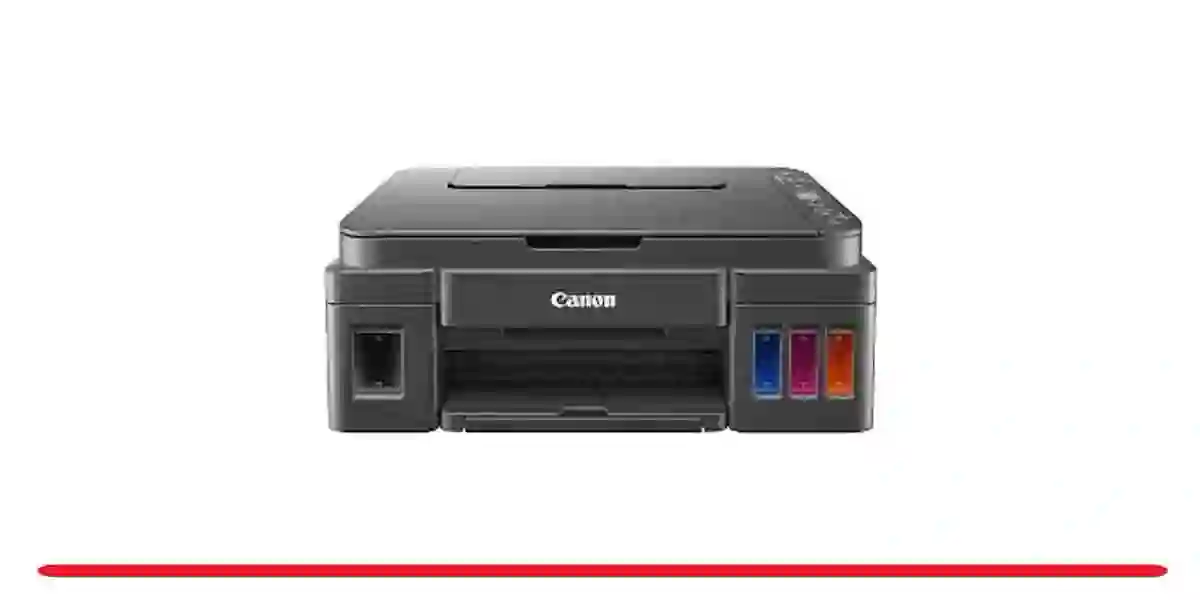
The G3310 is one of Canon’s refillable ink tank printers aimed at people who print regularly and want to stop worrying about expensive cartridges. It’s not flashy, but it focuses on practical things: low ink cost, decent quality, and simple daily use. Get the latest Canon Maxify G3310 Driver, Software on the link we provide at the bottom of this article.
First Impressions & Setup
Design-wise, it’s pretty straightforward. A black printer with a compact shape that fits comfortably on a desk or shelf. It’s not too heavy, so moving it around isn’t a big issue.
Setup is simple. You fill the ink tanks using Canon’s bottle system (the nozzles are designed to prevent mixing up colors), plug it in, and connect through Wi-Fi using the Canon PRINT app. Most people get it up and running within 15–20 minutes.
It supports wireless printing from phones (both iPhone and Android), and there’s USB if needed.
Everyday Printing Experience
For daily documents—like invoices, school work, reports, or online shop orders—it does the job well.
Text quality: Sharp and dark, especially black text.
Color prints: Good enough for charts, logos, and simple flyers.
Speed: Not super fast, but fine for small business or home use.
Noise: Normal inkjet sound—not too loud.
It handles print, scan, copy, and fax. The scanner is flatbed style, so if you’re scanning multiple pages, you’ll need to do them one by one.
Photo printing is okay for casual needs, but this isn’t meant to replace a dedicated photo printer.
Ink Cost – The Main Reason People Buy It
This is where the G3310 really makes sense.
The refill bottles last a long time. If you print regularly—hundreds of pages per month—you’ll save a lot compared to cartridge printers. Cost per page is very low, especially for black text.
For small businesses, online sellers, or home offices, this is usually the biggest advantage.
What People Like
Ink is very affordable long term
Good text quality for documents
Reliable for regular daily use
Wireless printing works well
All-in-one (print, scan, copy, fax)
What Some People Don’t Like
Not very fast for large jobs
No automatic document feeder
Photo quality is just average
Basic screen and controls
Who Is It Good For?
It’s a good fit for:
Online sellers printing shipping labels and invoices
Small shop owners
Students and home offices
Anyone printing often and tired of buying cartridges
If you print only occasionally (maybe under 100–200 pages per month), a cheaper cartridge printer might actually make more sense.
Bottom Line
The Canon MAXIFY G3310 isn’t fancy, but it’s practical. If your priority is low ink cost and reliable everyday printing, it’s a solid choice. It’s not the fastest or the best for photos, but for regular documents and business use, it’s dependable and economical over time.
Canon Maxify G3310 Driver Download
IJ Start Canon Maxify G3310 Set Up Printer Driver for:
- Windows
- Windows Server
- Mac Os X
- Mac Os X Server
- Linux
Canon Maxify G3310 Driver Download Windows
Free Canon Maxify G3310 Software Windows
- Download ~~>> Easy Photo Print Editor Software
- Download ~~>> Quick Menu Software
- Download ~~>> My Image Garden Software
- Download ~~>> IJ Network Device Setup Utility Software
- Download ~~>> IJ Printer Assistant Tool
- Download ~~>> PosterArtist Updater
- Download ~~>> PosterArtist Lite
- Download ~~>> Easy-PhotoPrint EX